MaiD · macOS 14+

A focused, native
Markdown editor.

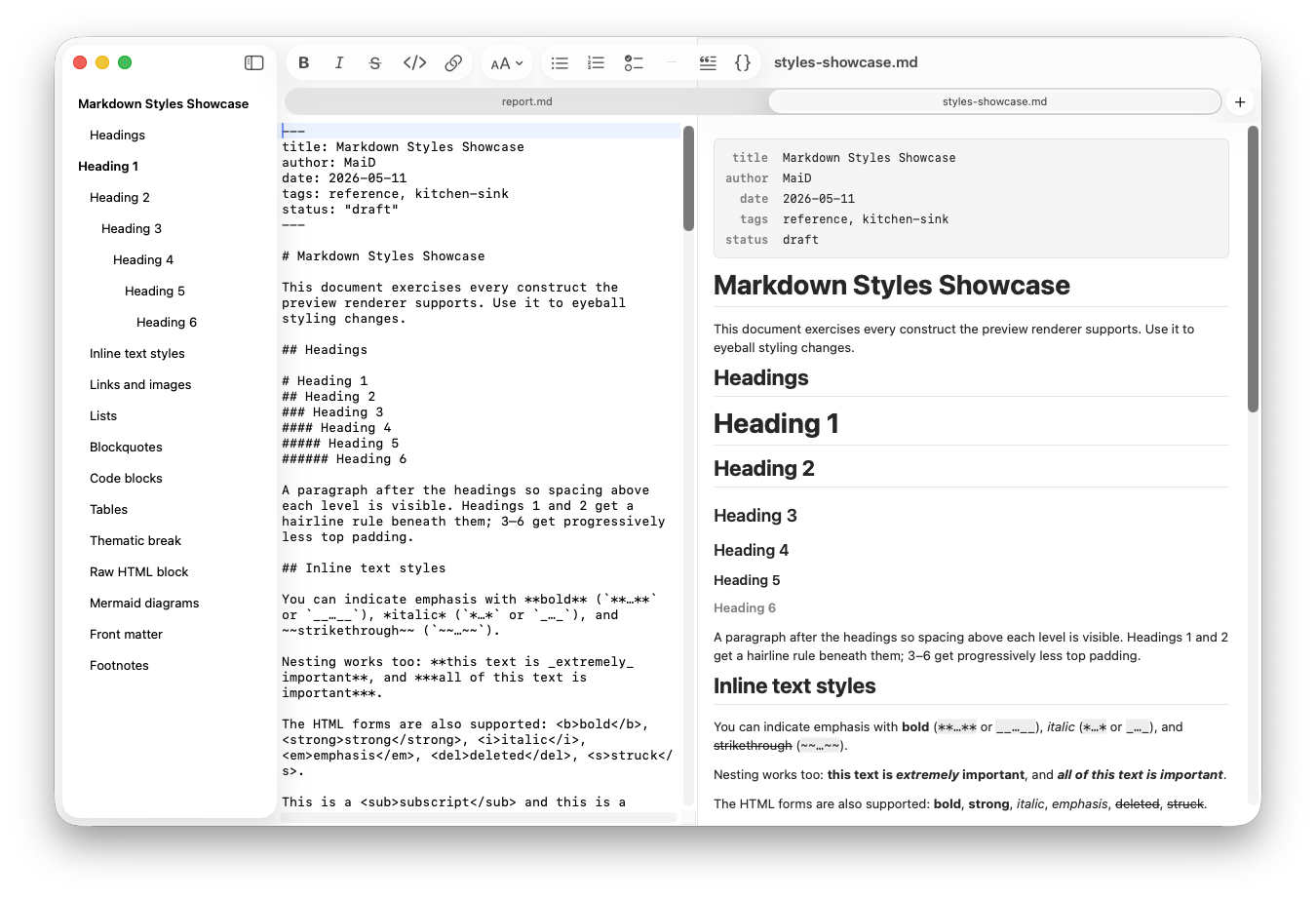
Side-by-side live preview, an outline built from your headings, native Mermaid diagrams drawn in pure Swift, and one-click HTML & PDF export. Sandboxed and offline by design — your documents stay on your Mac.
SandboxedNo network access
NativeSwiftUI & AppKit
YoursBuy once, own it
MaiD showing the Markdown editor on the left and live rendered preview on the right, with an outline sidebar and document tabs
Features

Everything a Markdown editor should be. Nothing it shouldn't.

Five things MaiD does well, drawn natively with Core Graphics and Core Text — no web view anywhere in the app.

Write

A real editor with a formatting toolbar and matching menu commands.

  • Bold, italic, strikethrough, inline code, links, headings 1–6
  • Bulleted, numbered & task lists, blockquotes, code blocks
  • Standard Mac shortcuts — ⌘B, ⌘I, ⇧⌘X, ⌘K, ⌥⌘1…6
  • Full, unlimited undo and redo

Preview

GitHub-flavored Markdown, rendered live as you type — in light and dark.

  • Tables, task lists, fenced code blocks, blockquotes
  • Mermaid diagrams drawn in pure Swift — no web view, no JS, no network
  • Flowcharts, sequence diagrams, pie & architecture diagrams
  • Resize each diagram (50–125%) or collapse it

Navigate

An outline that builds itself from your document's structure.

  • Sidebar generated automatically from your headings
  • Click any heading to jump in both editor and preview
  • Show / hide the sidebar with ⌃⌘S

Export

Get your work out cleanly, in formats people can actually use.

  • Export to clean, self-contained HTML
  • Export to PDF
MaiD with two open document tabs, the headings outline in the sidebar, and a styled live preview
Native · macOS 14+

It behaves like a Mac app, because it is one.

MaiD uses the real document model — the things you expect from any Mac app just work, with none of the things you don't.

  • Light, Dark, or System appearance — editor, preview, and diagrams all follow
  • Real macOS documents: auto-save, version history, and Revert To
  • Document tabs, Open Recent, and drag-and-drop a file onto the icon or window
  • App Sandbox, no network access — and a Liquid Glass icon on macOS 26 Tahoe
The details

Requirements & privacy.

Requirements
macOS 14 (Sonoma) or later
Apple Silicon or Intel
Privacy
No data collected
No network access — everything stays on your Mac. Read the → Privacy policy
License
Buy once on the App Store, or Download it here for free
No account, no subscription, no telemetry
Get MaiD

Write in Markdown. Stay on your Mac.

MaiD can be downloaded below, and on the Apple App Store. When reporting a bug, include your macOS version and the build from MaiD ▸ About MaiD.