A few apps, made carefully.
We'd rather ship a small number of focused tools we use every day than a catalogue of things we don't. Here's what's out now.
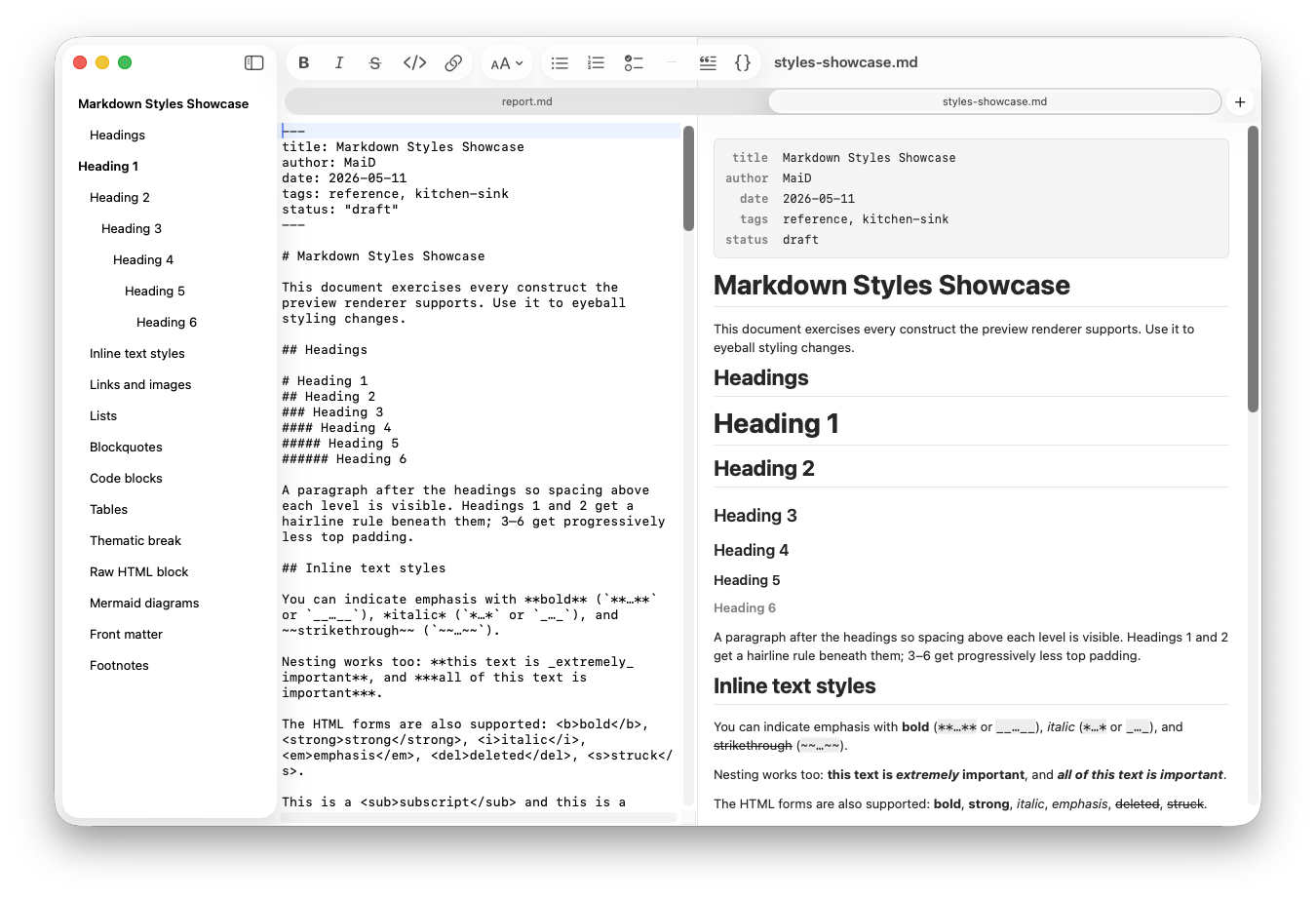
MaiD
A focused, native Markdown editor — side-by-side live preview, an outline built from your headings, native Mermaid diagrams drawn in pure Swift, and one-click HTML & PDF export. Sandboxed and offline by design.
- ✓Side-by-side editor and live preview, light or dark
- ✓Mermaid diagrams rendered natively — no web view, no JS engine, no network
- ✓Outline sidebar from your headings; real macOS documents with auto-save & version history
- ✓Export to clean, self-contained HTML and PDF
Columnar
Trello, in your menu bar. View, create, update, and archive boards, lists, and cards without leaving whatever you're working on — real kanban columns with drag-and-drop, checklists, comments, and reactions, behind one global hotkey.
- ✓Boards as kanban columns — drag cards between lists, reorder lists by dragging
- ✓Checklists, comments with emoji reactions, members & real avatars
- ✓⌃⌥T from anywhere; your API key and token live in the macOS Keychain
- ✓Native SwiftUI & AppKit, sandboxed — talks only to the Trello API
Castl
Your 3-D print files, finally organized. Castl turns folders of STL, OBJ, and 3MF downloads into a searchable visual library with rendered thumbnails, mesh health checks, and exact duplicate detection — and it never modifies your files.
- ✓Rendered 3-D thumbnails; full viewer with a print-bed reference grid
- ✓Mesh health at import — watertight, manifold, and degenerate-triangle checks
- ✓Exact duplicate detection by content fingerprint, even renamed or zipped
- ✓Watch folders auto-import; collections, tags, and maker-literate search
swift-mermaid
A pure-Swift Mermaid renderer for Apple platforms. No JavaScript engine, no WKWebView, no network entitlement — for sandboxed apps that need Markdown previews with diagrams. It's what powers MaiD's diagrams.
.package(url: "github.com/australware/swift-mermaid"),
// then render — no web view
let view = MermaidView(
source: "graph LR; A-->B"
)